

Audi A6 Antenna Mast Parts
Showing 1 out of 1 part(s) found in our catalog.
Brand
Keyword
Subcategory
Mon-Fri 8-4 MST/PST (Arizona Time)

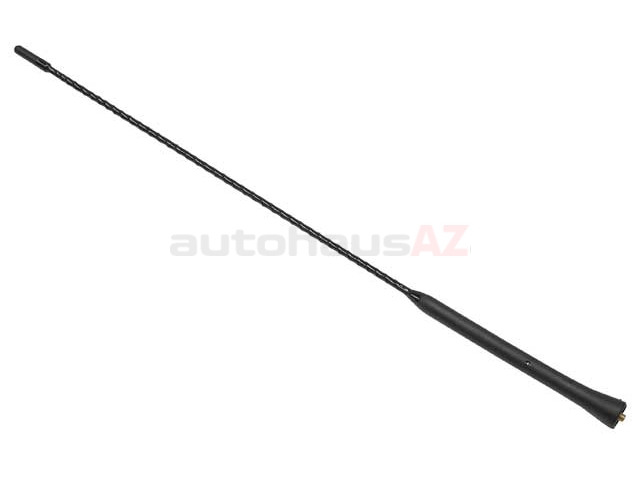


Based on industry averages you can expect to pay between $16.99 and $16.99 for a Audi A6 antenna mast.
How Do I Replace My Audi A6 Antenna Mast?
Start by finding where the antenna sits, usually on the roof or rear of your Audi A6. Give it a try with your hand—twist the old antenna mast to the left, and it should come free. Sometimes these get stuck, especially if weather has taken its toll. If that happens, you might need a small wrench. Before you thread on the new antenna, check the threads for dirt or rust. If there's buildup, clear it out so the new mast will seat flush. Screw in the new mast, hand-tight is enough. Turn on the radio, flip through a few stations, and see if reception is clear. If everything comes in, you’re all set.
Why Is My Radio Reception Poor After Changing The Antenna Mast?
After swapping out your Audi A6 antenna mast, static or weak reception pops up more than you’d expect. First off, check the new mast—is it the right length and thread? It should fit the base, snug and secure. Sometimes factory designs just work better than aftermarket versions, so if you picked a different style, that could be the issue. Look around the base for dirt or corrosion, which can mess up signal quality. If things aren’t improving, check the antenna cable under the base for cracks or water damage. Park in an open area and test again, just in case buildings or interference are at fault.
Which Type Of Audi A6 Antenna Mast Should I Buy?
If keeping the original look and radio strength matters, stick with an OEM antenna mast. These fit right and pick up signals well. Want a cleaner profile? “Stubby” antennas look sharp but sometimes fall short on reception. Check the thread size and make sure the fit matches your base, so you don’t deal with wind noise or leaks. Some models need a specific mast if you use satellite radio or GPS, so double-check your setup. OEM masts are pricier, but they tend to last and work best for regular AM/FM radio.
Can I Install An Aftermarket Audi A6 Antenna Mast Without Voiding My Warranty?
Swapping out your antenna mast for an aftermarket one shouldn’t mess with your warranty, as long as the change doesn’t cause a problem—like a water leak into the roof or a break at the base. It’s smart to keep the old mast, just in case the dealer needs to see everything original. Most of the time, warranty issues are about big-ticket systems, not the antenna mast. Still, use original parts if you’re worried, and keep your receipts. If your car is still under factory coverage, checking with your dealer before you switch can save headaches down the road.
How Do I Clean And Maintain My Audi A6 Antenna Mast?
Wipe down your antenna mast with a damp, soft cloth every once in a while, especially if you spot road salt or grime after winter drives. Mild soap works; harsh cleaners can strip the finish or eat at the metal. Look for rust spots or rough edges—catching them early means better reception and saves you from having to buy a new mast too soon. The rubber ring at the base matters too; cracks here let water creep in. Quick checkups and a simple cleaning routine go a long way for clear radio and a longer-lasting antenna.
Why Choose Us For Your Audi A6 Antenna Mast?
When you grab your Audi A6 antenna mast from us, you get more than just a good price. Everything ships out fast, and if something's not right, returns are easy. No runaround, no waiting for weeks. Get the part you need, get it installed, and enjoy your music or news on the drive—no fuss, no hassle.